 Enterprise
 Design System Components
 Variables
 Tokens
Design SystemFlexible and responsive components
+100Components
+300Design Tokens
+3Themes
+2 yearsMission


How to organizeDesign System Components
Atomic DesignManagement
Foundation
Tokens are foundational setups for components as a core base of colors, gaps, and fonts.

Atoms
Fundamental building blocks like buttons, input fields, and icons — the simplest elements in UI.

Molecules
Combinations of atoms form functional components such as form fields, and action buttons.
Organisms
Organisms are made up of molecules and are used to create complete user interfaces.
Layouts
Layouts provide a framework for laying out and arranging organisms on a page.
Pages
Pages represent the final, complete user interface layouts.
Components
Components categories guide designers in using components effectively, ensuring clarity, consistency, and purposeful application across products.

Buttons
Interactive elements that trigger actions or events, designed for clarity and accessiblity.

Cards
Containers used to group related information, providing structure and hierarch to content.

Inputs
Form input fields for users data entry, including text fields, dropdowns, and selection tools.
Data Display
Visual elements to represent data, such as charts, tables, or key metrics.
Popovers
Overlays that provide additional information or options without cluttering the interface.
Pickers
Tools for selecting specific inputs, such as dates, time range pickers.
Navigation
UI elements to guide users through the application, including menus, tabs, and breadcrumbs.
Structure layouts
Modular layout elements for structuring pages, ensuring consistency and flexibility in design.
Feedback
Components for delivering system messages, like alerts, confirmations, validation msgs, and prompts.
Rest type of components:
Typography

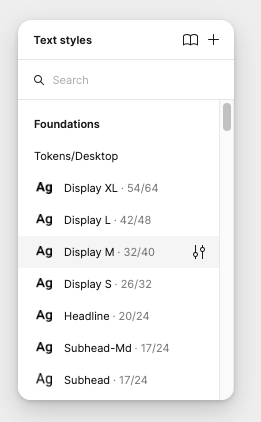
Typography is an important part of a design system that brings consistency across experiences and platforms.
Responsive & Adaptive
 Desktop
 Tablet
 Mobile
Mobile platforms
Roboto—Black
Weight 900, Size 72, Line height 88Large Headline
Roboto—Bold
Weight 700, Size 64, Line height 72Headline 1
Roboto—Black
Weight 700, Size 48, Line height 56Headline 2
Roboto—Bold
Weight 700, Size 40, Line height 48Headline 3

Roboto—Black
Weight 700, Size 32, Line height 40Headline 4
Roboto—Black
Weight 700, Size 24, Line height 32Headline 5
Roboto—Medium
Weight 700, Size 20, Line height 24Headline 5

 Gamechanger
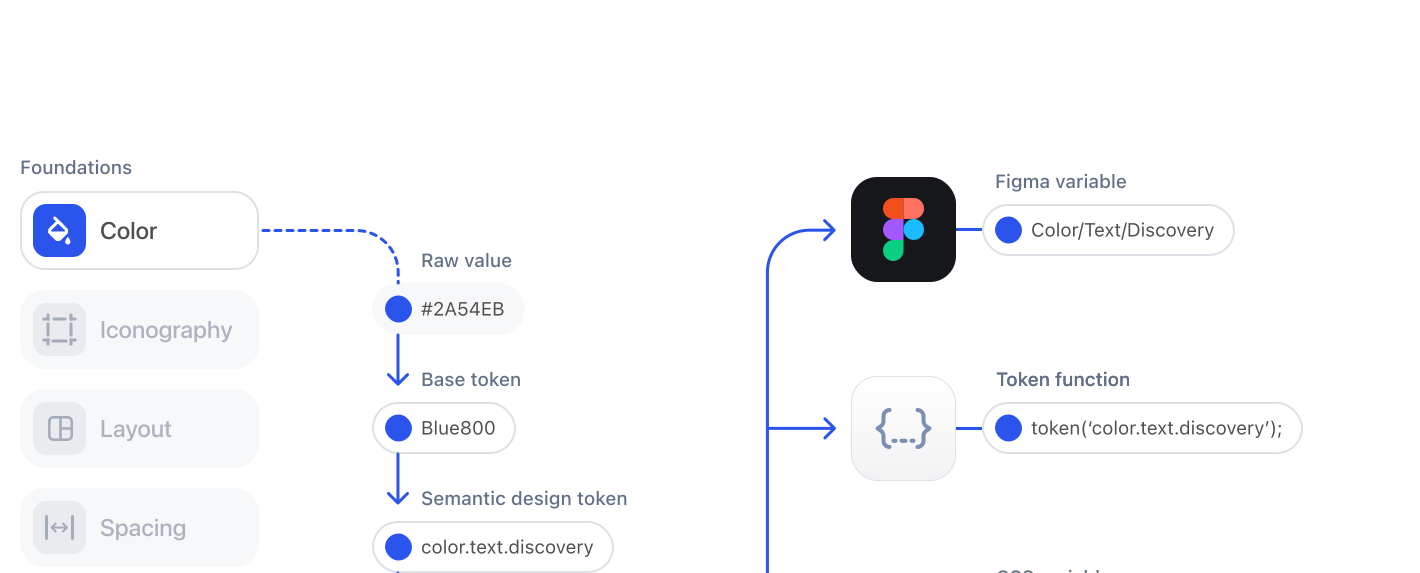
Tokens taxonomy
Color Token and Aliases
Each component is prepared based on color tokens. Color Token is a semantic representation of the color that helps understand how or when the token should be used.
 #1D7C4D
 Global / Green / green0
 Semantic / Positive / positive0
- Content / Positive
- Background / Positive
- Border / Positive
 Action / Success / Normal
 Non-Contextual / Green / Default
Tokens Architecture
 GitHub
 CI / CDAutomation
Design Token Automation
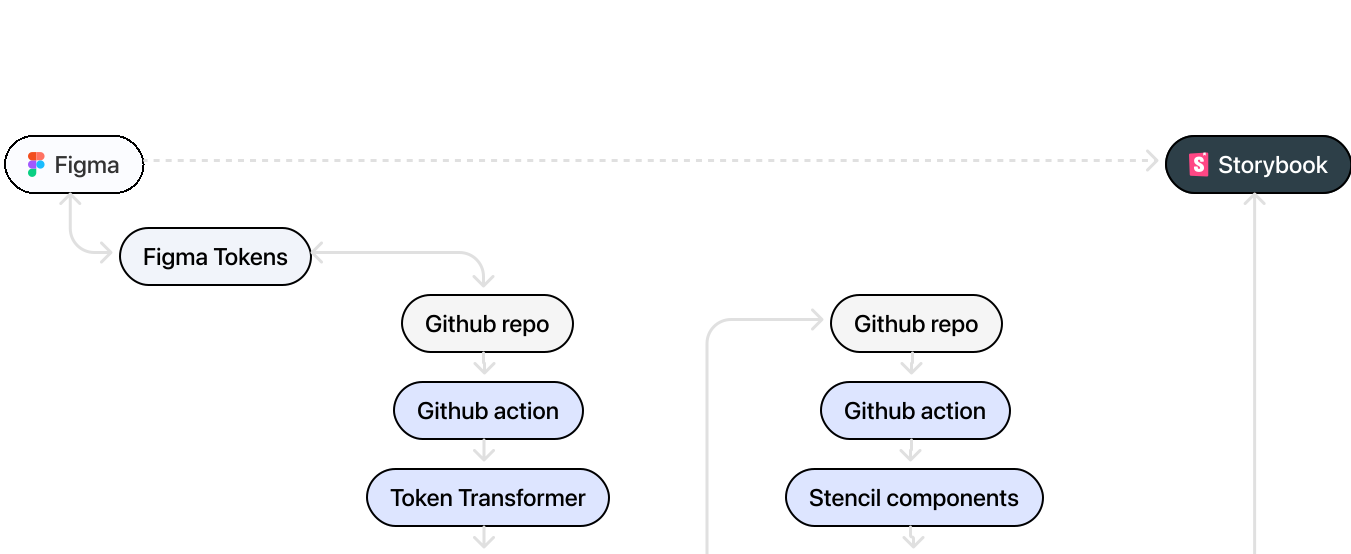
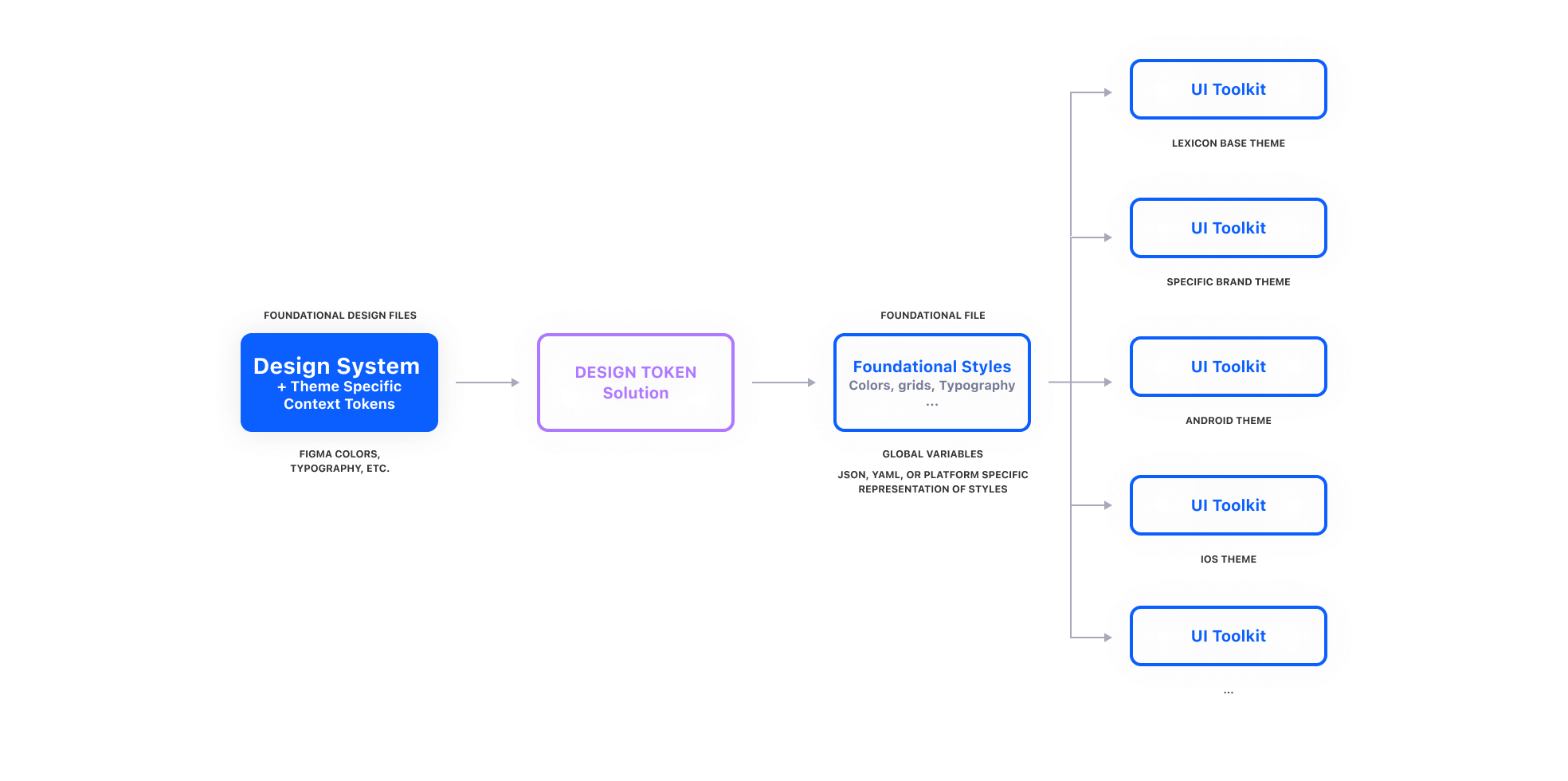
Convert Figma global variables into design tokens using Style Dictionary, then render and compile them into CSS/SCSS files. Integrate these tokens into GitHub deployment workflows to enable seamless distribution. Automate the delivery of tokens from Figma to Storybook components, ensuring a one-click process for consistent and efficient design-to-development handoff.
FigmaTokens StudioTokens Studio
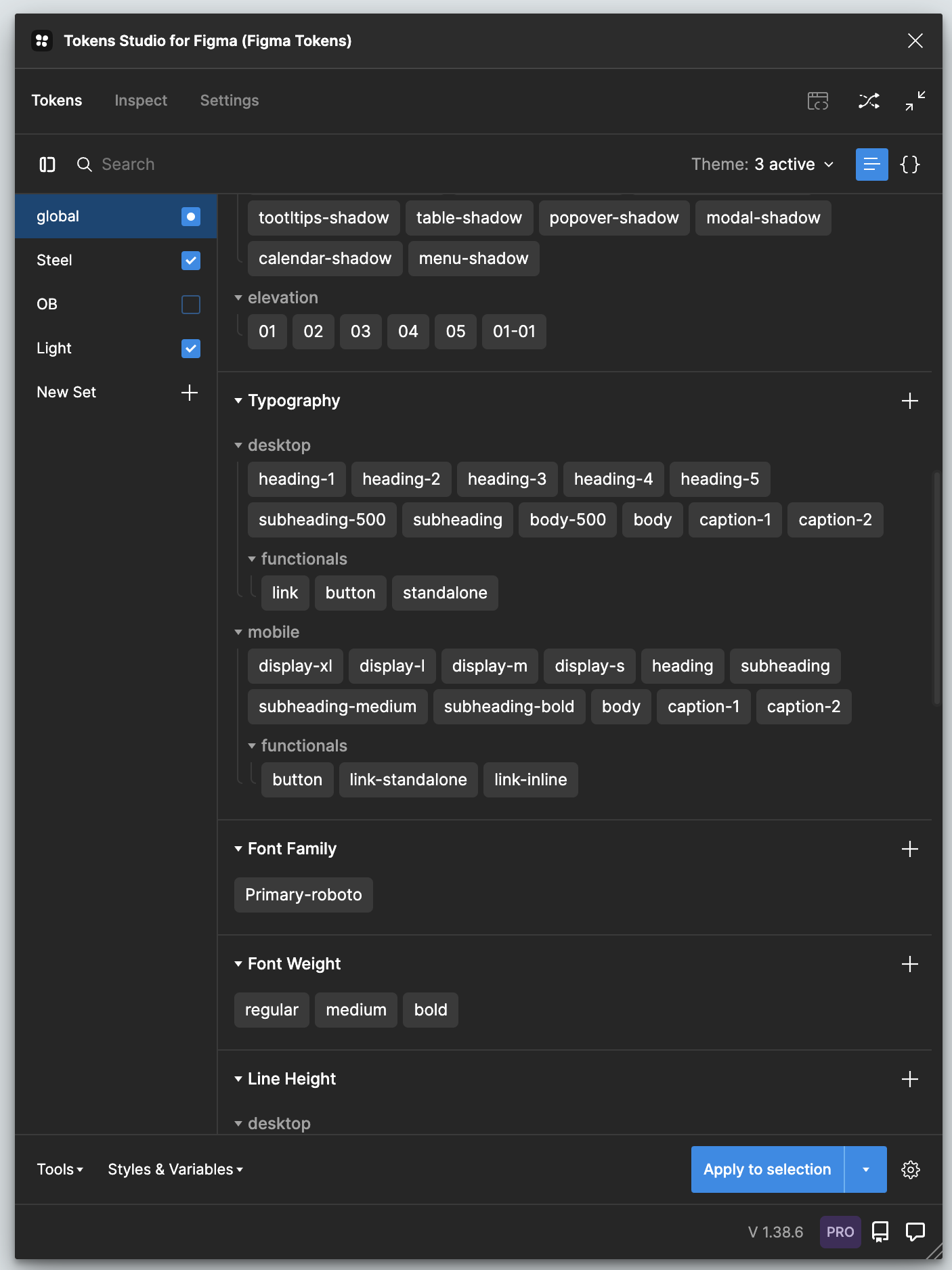
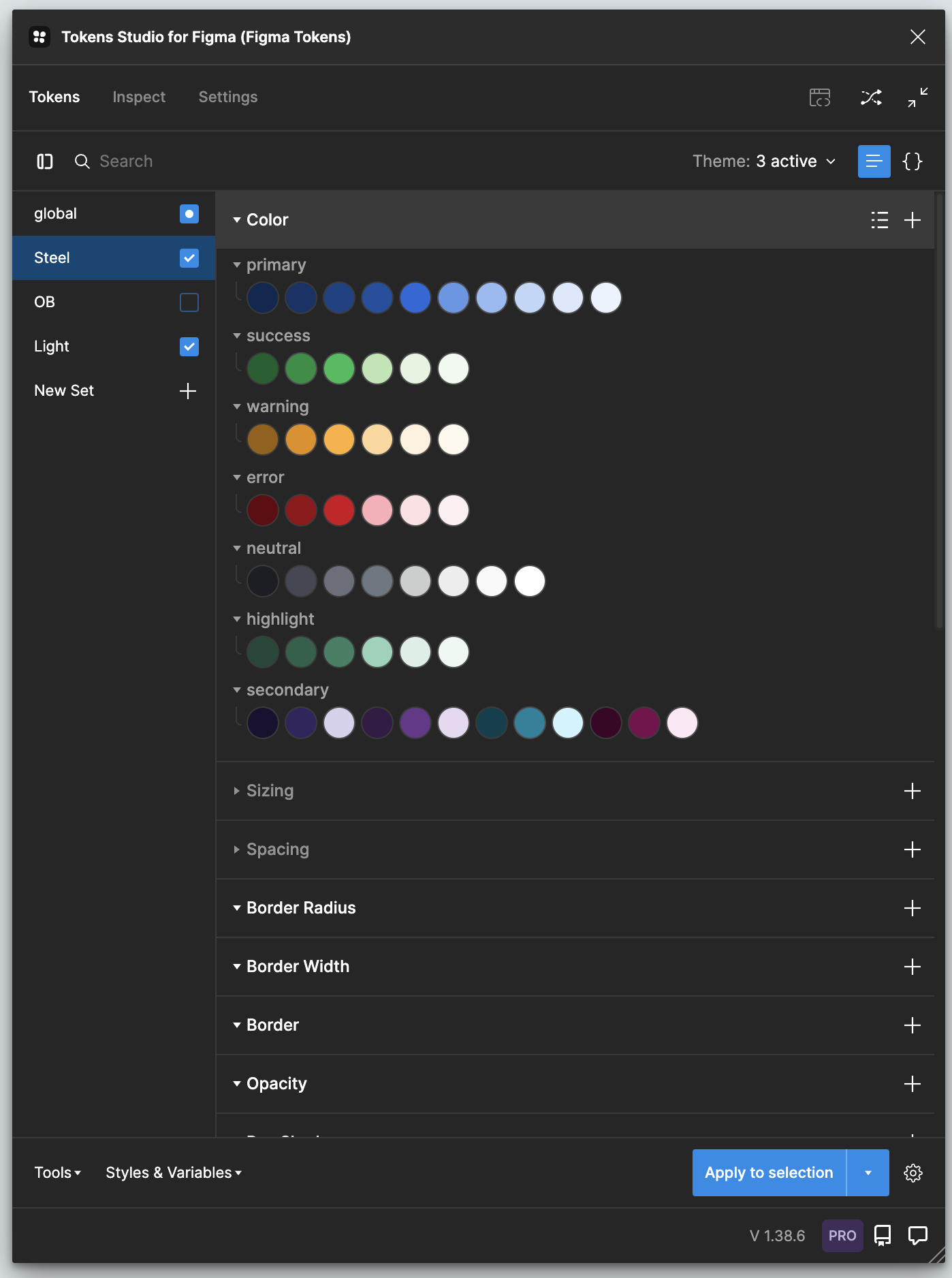
Tokens Studio is a powerful tool that allows us to manage and maintain our token architecture, export it to Figma or vice versa, and sync the Figma global variables.
 StorybookDesign Tokens
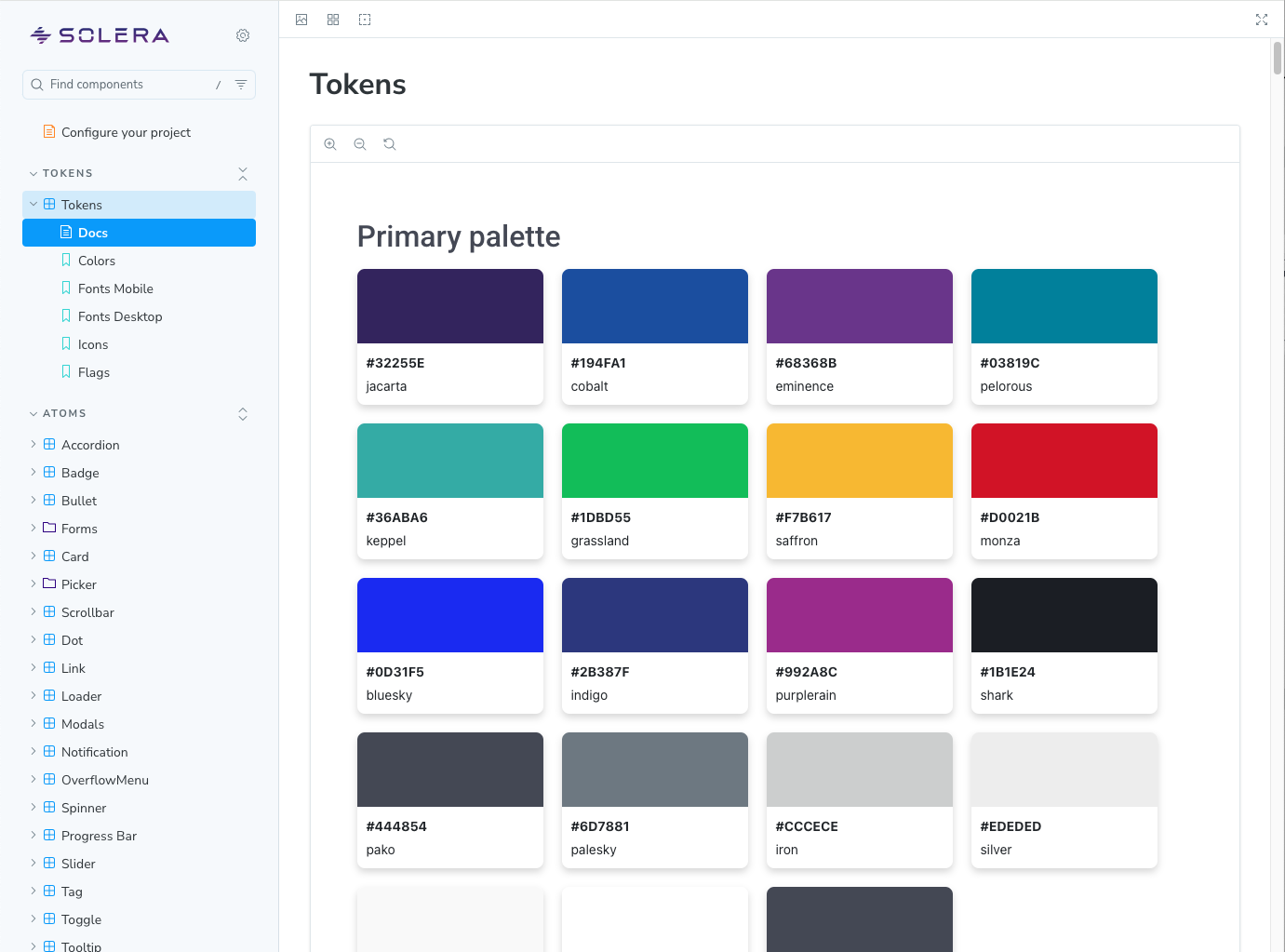
Tokens / Colors
Color distinguishes our brand and reinforces consistent experiences across products.
 StorybookStorybookTypography
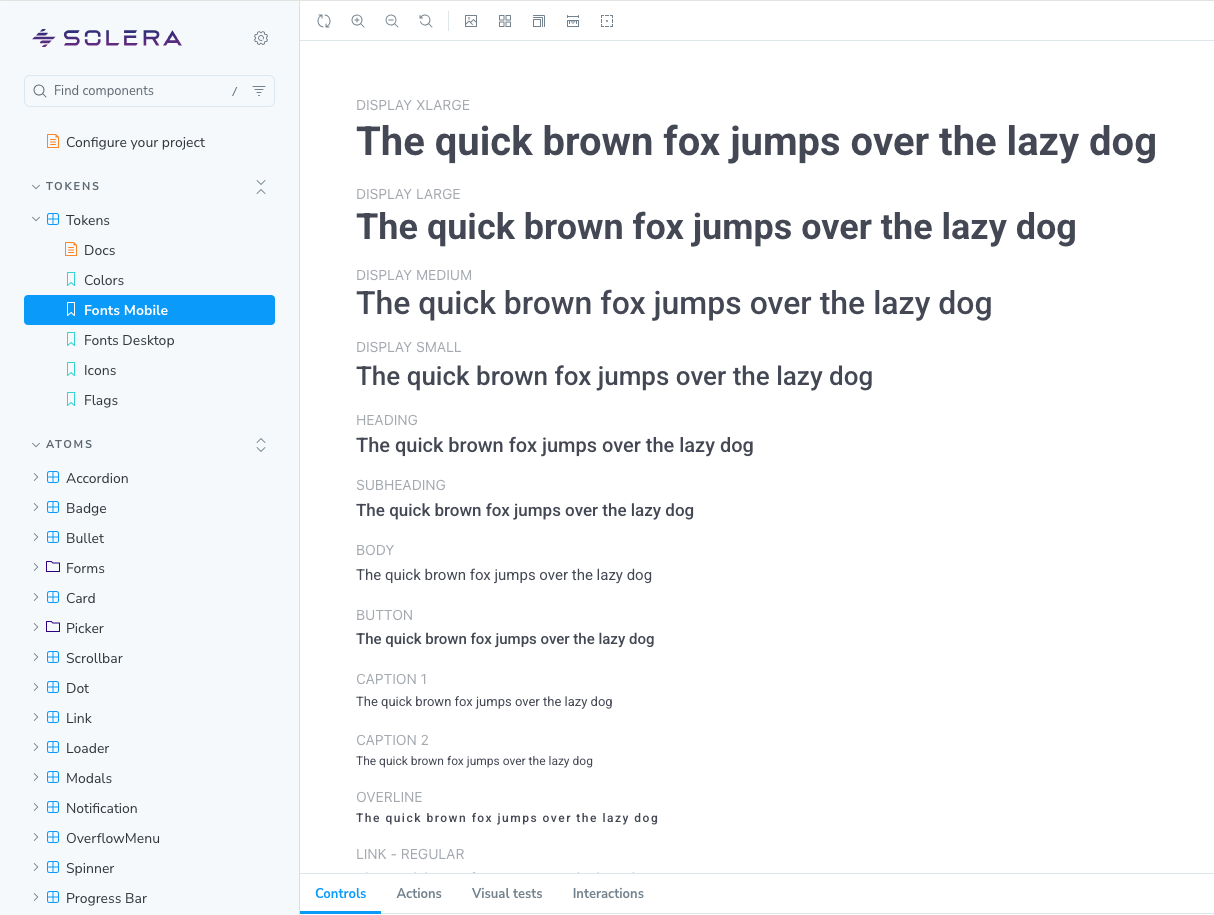
Tokens / Fonts
Typography is our system of fonts and text styles. It enhances communication, reinforces brand, and guides users' emotions.
 StorybookStorybookDesign Components
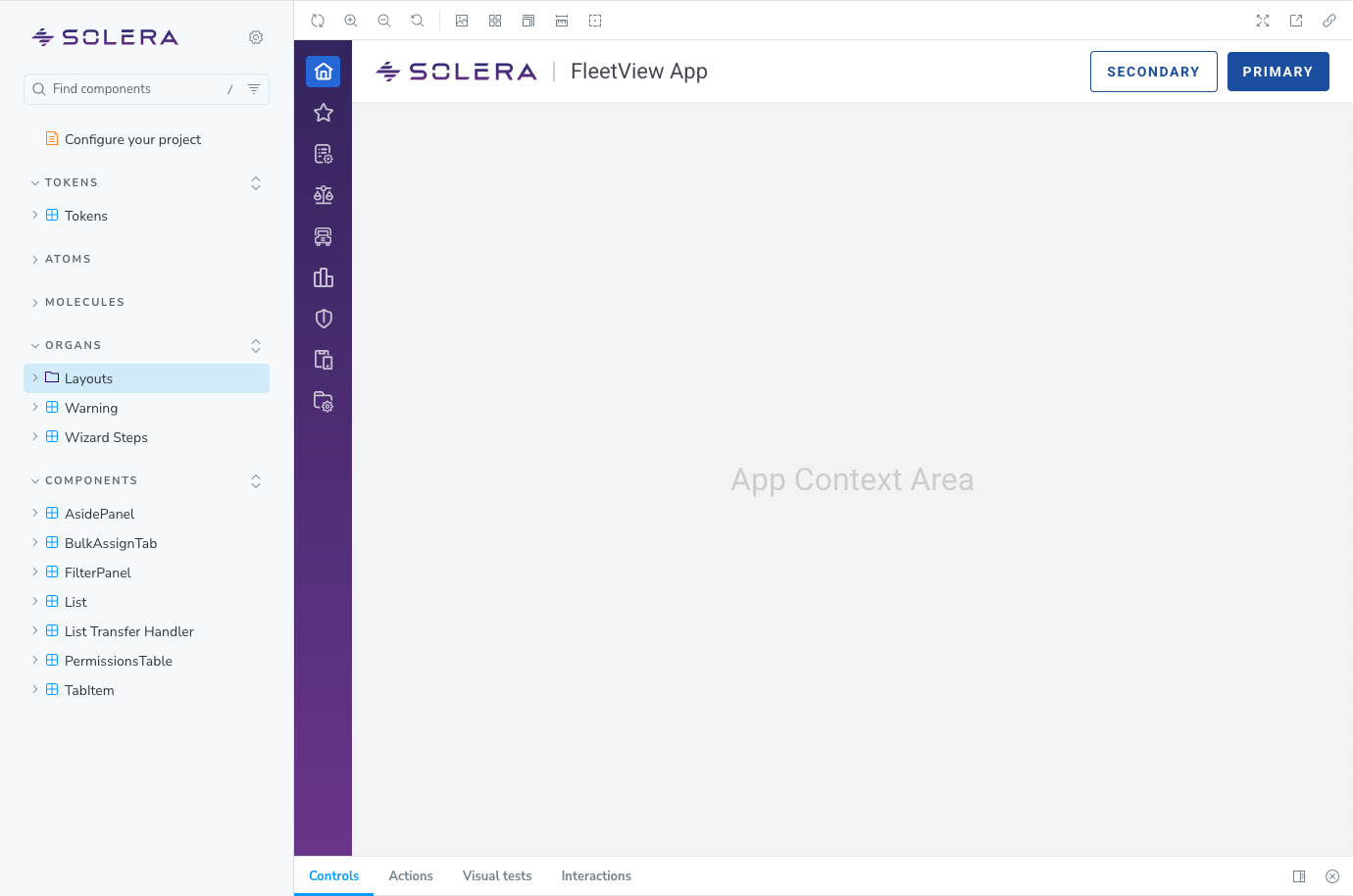
Layouts
A global shell with a responsive layout grid is a component designed to manage the content of a page.

Page
A page layout organizes sections on a page using a grid and grid columns.
Page Layout
A collection of components which let you compose an application's page layout.
 Storybook
Global Header